
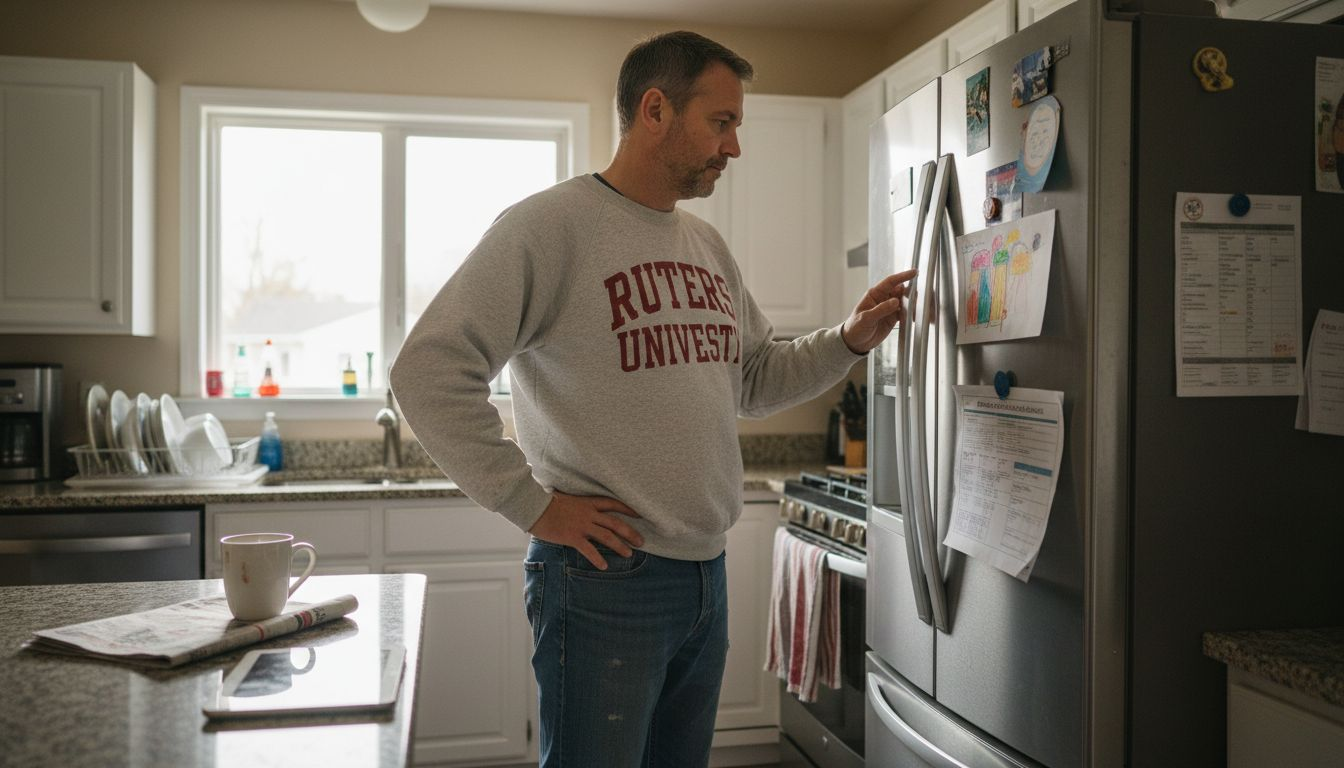
Smart appliances promise convenience, efficiency, and peace of mind, but they also create new challenges in your home. Software glitches, dirty sensors, and weak Wi-Fi security can quickly turn reliable devices into frustrating sources of waste and risk. Neglecting proper maintenance may lead to higher energy bills, unexpected breakdowns, and even safety concerns before you realize something is wrong.
The practical strategies in this list empower you to prevent costly malfunctions, optimize performance, and keep your appliance data secure. By following this actionable guide, you’ll unlock ways to save money, improve comfort, and protect everything connected in your Marlboro home.
Get ready to discover smart solutions that every homeowner can use to keep their appliances running reliably—and avoid problems before they start.
Table of Contents
- 1. Regularly Update Appliance Software for Optimal Performance
- 2. Clean Sensors and Filters to Prevent Common Malfunctions
- 3. Monitor Energy Usage and Address Inefficiencies Early
- 4. Schedule Routine Inspections for Safety and Longevity
- 5. Use Appliance Apps to Track Maintenance Reminders
- 6. Secure Wi-Fi Connections to Protect Smart Appliance Data
Quick Summary
| Takeaway | Explanation |
|---|---|
| 1. Regularly update appliance software. | Keeping software current improves efficiency, lowers utility bills, and enhances security against cyber threats. |
| 2. Clean sensors and filters quarterly. | Dirty sensors and filters cause appliances to malfunction and waste energy, leading to higher utility costs and potential breakdowns. |
| 3. Monitor energy usage trends. | Tracking energy consumption helps identify inefficiencies early, preventing costly repairs and reducing energy bills by 10-20 percent. |
| 4. Schedule routine inspections annually. | Regular inspections catch potential issues, ensuring safety and extending your appliance’s lifespan while saving on emergency repair costs. |
| 5. Secure your Wi-Fi network. | A secure Wi-Fi protects your smart appliances from hacking, safeguarding personal data and preventing unauthorized access to your devices. |
1. Regularly Update Appliance Software for Optimal Performance
Your smart refrigerator, washing machine, and dishwasher aren’t just mechanical devices anymore—they’re computers. Like your smartphone or laptop, they need regular software updates to function at their best and stay secure.
When manufacturers release software updates for appliances, they’re fixing bugs, improving efficiency, and adding features. Outdated software can cause your appliances to work harder than necessary, waste energy, and eventually break down prematurely. Think of it like running an old operating system on your computer—it gets slower and less reliable over time.
Why Software Updates Matter for Your Home
Keeping your appliance software current delivers real benefits that impact your wallet and household comfort.
Energy savings and lower utility bills. The U.S. Department of Energy encourages homeowners to keep appliance software updated to optimize performance and reduce energy costs. Many software updates include improvements that make appliances more efficient, meaning they use less electricity or water to do the same job. Over a year, this can translate to noticeable savings on your monthly energy bills in Marlboro.
Better performance and fewer repairs. Updated software often addresses performance issues that manufacturers discover after release. These fixes prevent frustrating glitches and reduce the likelihood of breakdowns that require expensive service calls.
Security protection. Smart appliances connected to your home network need protection from cyber threats. Software updates patch security vulnerabilities before hackers can exploit them.
Access to new features. Some updates unlock new capabilities or improved user interfaces that make your appliances easier to use.
How to Update Your Appliance Software
Most modern smart appliances make updates straightforward. Here’s what you need to know:
- Check your appliance’s manual or manufacturer’s website to find the update instructions specific to your model
- Connect your appliance to your home WiFi network if it isn’t already
- Look for a settings menu on the appliance’s display panel or companion mobile app
- Select “Software Update” or “System Update” and follow the prompts
- Allow the update to complete fully—don’t unplug or interrupt the process
Keeping your smart appliances updated is one of the easiest maintenance tasks you can do, and it pays for itself through energy savings and prevented repairs.
For older appliances without internet connectivity, you may need to contact the manufacturer directly or work with appliance maintenance professionals who can help with manual updates or system upgrades.
Make it a habit to check for updates quarterly. Set a reminder on your calendar for the first week of each season to review whether updates are available for your refrigerator, washing machine, dishwasher, and other smart appliances. This simple routine takes just minutes but delivers months of improved performance.
Pro tip: Enable automatic software updates in your appliance settings whenever possible—most manufacturers offer this option, which means your devices stay current without requiring manual action.
2. Clean Sensors and Filters to Prevent Common Malfunctions
Sensors and filters are the unsung heroes of your smart appliances. When they get dirty, your refrigerator, washing machine, and dishwasher start acting up in ways that seem mysterious until you realize what’s actually happening.
Think of sensors as your appliance’s eyes and ears. They monitor temperature, moisture, soil levels, and other conditions to help your appliance work correctly. Filters catch dirt, dust, and debris before they damage internal components. When either one gets clogged or contaminated, your appliances can’t function properly.
What Happens When Sensors and Filters Get Dirty
Dirty sensors cause your appliances to malfunction in frustrating ways. They may run longer than necessary, fail to detect when a cycle is complete, or shut down unexpectedly. Understanding how sensor contamination affects performance helps you recognize when cleaning is needed before problems escalate.
Clogged filters reduce efficiency dramatically. Your washing machine may not clean clothes properly, your dishwasher might leave spots on dishes, and your refrigerator could struggle to maintain the correct temperature. The longer you ignore these issues, the harder your appliances must work, which accelerates wear and tear.
Both problems increase energy consumption, meaning higher utility bills and a shorter lifespan for your appliances.
Where Sensors and Filters Live in Your Appliances
Every appliance is different, but here are the most common locations you’ll need to maintain.
- Refrigerators: Air vents, condenser coils, and temperature sensors
- Washing machines: Inlet filters, drain filters, and water level sensors
- Dishwashers: Spray arm holes, filter baskets, and soil sensors
- Dryers: Lint traps and moisture sensors
Simple Cleaning Steps You Can Do Today
Most filter and sensor cleaning requires nothing more than basic tools and a few minutes. Check your appliance manual for the exact locations, then follow these general steps.
- Unplug your appliance or turn off power at the circuit breaker
- Locate the filter or sensor according to your manual
- Remove any visible debris by hand or with a soft brush
- Rinse under warm water if appropriate for that component
- Dry completely before reassembling
- Plug the appliance back in and test it
For more detailed guidance on preventive maintenance procedures, consult your appliance’s documentation or reach out to a professional.
Regular cleaning of sensors and filters is one of the most cost-effective maintenance tasks you can do to prevent expensive repairs and extend your appliance’s life.
In Marlboro and the surrounding area, many homeowners skip this simple maintenance step until something breaks. But spending 15 minutes cleaning filters quarterly can prevent service calls that cost hundreds of dollars.
Pro tip: Mark your calendar for the start of each season to clean filters and sensors on all your smart appliances—consistency prevents problems before they start.
3. Monitor Energy Usage and Address Inefficiencies Early
Your smart appliances generate data every single day. If you’re not paying attention to that data, you’re missing early warning signs that something isn’t working efficiently. Catching problems early can save you hundreds of dollars in energy costs and prevent major breakdowns.
When appliances become inefficient, they work harder to accomplish the same task. Your refrigerator might run constantly to maintain temperature, your washing machine could use extra water, or your dishwasher might cycle longer than normal. These changes happen gradually, so you don’t notice until your energy bill spikes.
Why Energy Monitoring Matters
Energy usage tells a story about your appliance’s health. Normal energy consumption means everything is working correctly. Sudden increases signal trouble brewing inside.
Early detection prevents expensive repairs. When you catch inefficiencies at the beginning, you can address them before they become serious problems. A washing machine using slightly more water is fixable with a simple maintenance adjustment. If you ignore it, you might eventually need a $500 repair.
Your wallet benefits too. Using data-driven tools to track energy consumption helps you identify waste and reduce utility costs throughout your home. Over a year, addressing appliance inefficiencies can lower your bills by 10 to 20 percent.
How to Monitor Your Appliances
Modern smart appliances make monitoring straightforward. Most provide real-time data through mobile apps or displays on the appliance itself.
- Check your appliance app weekly for energy usage reports
- Note the date when usage patterns change unexpectedly
- Compare current months to the same month last year
- Watch for cycles that run longer than normal
- Monitor water or electricity consumption against baseline readings
Traditional appliances without smart features still send signals. Listen for unusual sounds, notice if they’re running constantly, or observe changes in performance like dishes not getting clean.
Addressing energy inefficiencies early costs far less than waiting until your appliance breaks down completely.
For Marlboro homeowners, reviewing energy usage monthly takes just five minutes but provides invaluable insight into your appliances’ condition.
Signs That Your Appliance Needs Attention
These warning indicators appear in your energy data or performance.
- Energy usage increases 15 percent or more without change in usage patterns
- Cycles take noticeably longer to complete
- Water or electricity consumption spikes month to month
- Appliance runs constantly rather than cycling on and off normally
- Performance declines while energy use increases
If you spot these signs, contact a professional to diagnose the issue before inefficiency becomes a complete failure.
Pro tip: Set a monthly reminder to review your appliance energy data and compare it to previous months, so you catch efficiency changes immediately rather than discovering them on your energy bill.
4. Schedule Routine Inspections for Safety and Longevity
Routine inspections are like annual checkups for your appliances. A professional takes a close look at components you can’t see, catches problems early, and keeps everything running safely. Scheduling these inspections is one of the smartest investments you can make in your home.
Appliances fail for reasons that aren’t obvious until someone trained examines them. Electrical connections loosen, seals wear down, and internal parts corrode gradually. By the time you notice something is wrong, significant damage may have already occurred.
Why Regular Inspections Matter
Routine inspections prevent catastrophic failures. A professional identifies worn components before they break, allowing you to replace them affordably instead of dealing with emergency repairs later. This proactive approach saves thousands of dollars over the life of your appliances.
Safety is equally important. Gas appliances like stoves and water heaters pose serious risks if not maintained properly. Electrical appliances can overheat and cause fires if internal components deteriorate. Formal inspection programs help identify hazards before they become dangerous situations that threaten your family.
Scheduled inspections also extend appliance lifespan. When professionals catch and fix small issues regularly, your appliances stay in peak condition for years longer. You avoid the stress of unexpected breakdowns and the expense of premature replacement.
What Inspections Should Include
A comprehensive appliance inspection covers multiple critical areas depending on the type of appliance.
- Electrical connections and power cord integrity
- Gas lines and connections for leaks or damage
- Seals, gaskets, and door latches
- Internal components like heating elements or motors
- Water lines and drainage systems
- Safety features and automatic shutoff mechanisms
- Performance calibration and sensor accuracy
When to Schedule Inspections
Timing varies by appliance type and age. Generally, newer smart appliances under warranty benefit from annual inspections. Older appliances should be inspected every 6 to 12 months.
Regular inspections extend the life of your appliances and prevent safety hazards before they develop into serious problems.
For Marlboro homeowners, scheduling inspections in spring before warm weather strains cooling systems and in fall before heating season begins makes sense. This timing aligns with natural seasonal demands on your appliances.
Finding the Right Professional
Not all repair technicians offer comprehensive inspections. Look for certified professionals with experience across multiple appliance types. Ask specifically about appliance maintenance schedule recommendations to ensure they follow industry best practices.
Trust matters when someone is evaluating your appliances. Choose companies with strong local reputations and clear documentation of what they inspect and why.
Pro tip: Schedule all major appliance inspections in the same visit to save time and money, and ask the technician to provide written recommendations with timelines for any repairs needed.
5. Use Appliance Apps to Track Maintenance Reminders
Your smartphone is the perfect tool for managing appliance maintenance. Instead of relying on memory or scattered notes, appliance apps send automatic reminders right to your phone. This simple change transforms maintenance from something you might forget into something that happens consistently.
Most modern smart appliances come with dedicated mobile apps. These apps do far more than just let you control your appliances remotely. They track maintenance schedules, send timely reminders, log service history, and help you stay organized across multiple devices in your home.
Why Digital Reminders Work Better Than Memory
Life gets busy. Between work, family, and daily responsibilities, appliance maintenance falls to the bottom of your priority list. By the time you remember to check that filter or schedule service, months have passed.
Appliance apps solve this problem by pushing notifications directly to your phone. You get a reminder exactly when you need it, right in your pocket. This proactive approach means you’ll actually perform maintenance on schedule instead of waiting until something breaks.
Digital tracking also creates a valuable maintenance history. You can see exactly when filters were last replaced, when repairs occurred, and what work was performed. This documentation helps technicians provide better service and can increase your appliance’s resale value if you ever upgrade.
What Appliance Apps Can Do
Modern appliance apps offer features that make maintenance effortless.
- Send automatic reminders for filter replacements and routine cleaning
- Log maintenance performed and service appointments scheduled
- Display user manuals and troubleshooting guides instantly
- Connect multiple appliances and track them all from one app
- Alert you to performance issues or unusual activity
- Store warranty information and service contract details
- Provide scheduling tools for professional maintenance appointments
Getting Started with Your Appliance Apps
Setting up appliance apps takes just a few minutes. The process is similar across most manufacturers.
- Download the official app for your appliance brand from your phone’s app store
- Create an account or log in with existing credentials
- Register each appliance using its serial number or model information
- Allow notifications so reminders reach you
- Set your preferred maintenance intervals and reminder timing
Once configured, digital tools for tracking maintenance reminders handle the organizational work for you. You simply respond when notifications arrive.
Using appliance apps transforms maintenance from an afterthought into a consistent, automated habit that protects your investment.
For Marlboro homeowners managing multiple smart appliances, consolidating them all into one app system eliminates confusion and ensures nothing gets overlooked.
Which Appliances Have Good Apps
Not every appliance type offers robust app support. Smart refrigerators, washing machines, dishwashers, and dryers typically have the best options. Older appliances may not have digital connectivity at all.
Check your appliance manual or the manufacturer’s website to see what app support is available. High-end smart appliances often provide more comprehensive tracking features than budget models.
Pro tip: Set recurring reminders in your appliance app for different maintenance tasks on a rotating schedule, so you spread the work across the year rather than facing multiple tasks in the same month.
6. Secure Wi-Fi Connections to Protect Smart Appliance Data
Your smart refrigerator and washing machine collect data about your home and habits. If your Wi-Fi network isn’t secure, that information is vulnerable to hackers. Protecting your wireless connection is just as important as locking your front door.
Smart appliances connect to your home network to send updates, receive commands, and report performance data. Without proper security measures, cybercriminals can intercept this information or gain access to your appliances remotely. The good news is that securing your network requires just a few straightforward steps.
What Data Are Your Smart Appliances Collecting
Smart appliances gather more information than you might realize. Your refrigerator tracks what foods you buy and how often you open it. Your washing machine records laundry schedules and detergent usage. Your dishwasher logs water temperature and cycle preferences.
This data reveals personal details about your lifestyle and spending habits. In the wrong hands, it could be used for targeted scams, identity theft, or unauthorized purchases. That’s why securing the network carrying this data matters greatly.
Why Wi-Fi Security Protects More Than Just Your Appliances
A weak Wi-Fi network puts everything connected to it at risk. Your smartphone, laptop, and personal financial accounts are all vulnerable if your network lacks proper encryption.
The Federal Communications Commission recommends using secure Wi-Fi networks with modern encryption to protect all connected devices. When your network is properly secured, hackers cannot intercept data passing between your devices and the internet.
Essential Steps to Secure Your Smart Appliance Network
Strengthening your Wi-Fi security starts with these fundamental actions.
- Use WPA3 or WPA2 encryption on your router, not older WEP or open networks
- Create a strong, unique password that combines uppercase, lowercase, numbers, and symbols
- Change your router’s default administrator password immediately
- Enable two-factor authentication if your router supports it
- Update your router’s firmware regularly to patch security vulnerabilities
- Disable WPS (Wi-Fi Protected Setup) as it creates security gaps
- Consider creating a separate guest network for smart appliances
Additional Security Layers
Beyond basic encryption, you can implement advanced protections for sensitive data.
- Create a dedicated Wi-Fi network for IoT devices like smart appliances, separated from personal devices
- Disable Bluetooth on appliances when you’re not actively using remote features
- Update appliance firmware whenever manufacturers release patches
- Use unique passwords for each appliance’s app login
- Regularly review connected devices in your router settings
A secure Wi-Fi network is your first line of defense against hackers accessing your smart appliances and the personal data they collect.
For Marlboro homeowners with multiple smart appliances, this single step provides protection across your entire connected home ecosystem. The time investment pays dividends in peace of mind and security.
Pro tip: Change your Wi-Fi password every 90 days and immediately update it if you notice any unfamiliar devices connected to your network.
Below is a comprehensive table summarizing the key points and strategies discussed throughout the article on maintaining smart appliances efficiently and securely.
| Topic | Details |
|---|---|
| Importance of Software Updates | Regular updates improve performance, ensure security, and provide access to new features, adding to both efficiency and appliance longevity. |
| Regular Sensor and Filter Cleaning | Clean sensors and filters to ensure proper functionality, save energy, and prevent malfunctions. Timely maintenance enhances appliance lifespan. |
| Monitoring Energy Usage | Analyze energy consumption data to detect inefficiencies early, reduce energy costs, and prevent costly repairs. |
| Scheduling Routine Inspections | Engage professionals for periodic inspections to ensure safety, identify wear before failure, and maintain appliance performance. |
| Utilizing Appliance Apps | Use apps to track maintenance, receive reminders, store service history, and monitor appliance performance, thereby promoting regular care and efficiency. |
| Securing Wi-Fi Networks | Protect your appliance and household data by implementing strong Wi-Fi security measures, such as encryption, unique passwords, and firmware updates, against potential cyber threats. |
Protect Your Marlboro Home Appliances With Trusted Expert Service
Maintaining smart appliances in your New Jersey home demands more than just routine cleaning and software updates. When you face challenges like unexpected breakdowns, sensor malfunctions, or energy inefficiencies, Expert Appliance Repair is here to provide fast, reliable help you can count on. We understand the importance of keeping your refrigerator, washer, dryer, and dishwasher running smoothly so you avoid costly repairs and disruptions.
Don’t wait until a minor issue becomes a major problem. With decades of trusted service supporting Marlboro and Monmouth County residents, our family-owned team offers same-day repairs, 24/7 emergency support, and upfront pricing that puts your mind at ease. Visit Expert Appliance Repair now to schedule your service and keep your smart appliances operating efficiently all year long. Take control of your appliance maintenance today with expert help that protects your investment and your peace of mind.
Learn more about how our appliance maintenance solutions can extend the life of your smart appliances and reduce your energy bills.
Frequently Asked Questions
How often should I update the software on my smart appliances?
Keeping the software on your smart appliances up to date is essential for optimal performance, ideally every three months. Check your appliance’s manual for specific instructions and run updates directly from the appliance or its companion app.
What are the signs that my smart appliance’s sensors and filters need cleaning?
Look for signs like longer operation times, poor performance, or unusual noises from your appliances. Regularly inspect and clean your sensors and filters every three months to prevent malfunctions and maintain efficiency.
How can I monitor my energy usage for my smart appliances?
You can monitor energy usage through the appliance’s mobile app or display for real-time data. Check weekly and compare monthly usage for any spikes, enabling you to catch inefficiencies early before they become costly repairs.
When should I schedule routine inspections for my appliances?
Schedule routine inspections every 6 to 12 months, depending on the age and type of your appliances. Regular checkups help identify issues early, keeping your appliances functioning safely and extending their lifespan.
How can appliance apps help with maintenance reminders?
Appliance apps can automatically send reminders for routine maintenance tasks, helping you remember when to clean filters or check for updates. Set these reminders to occur quarterly to ensure you stay on top of your appliance maintenance.
What steps can I take to secure my Wi-Fi for smart appliances?
To secure your Wi-Fi network, use WPA3 or WPA2 encryption, create strong passwords, and regularly update your router’s firmware. Establishing a separate guest network for your smart appliances will further protect your home network and data.
Recommended
- 7 Essential Types of Home Appliances Every NJ Household Needs – Expert Appliance
- What Is Appliance Maintenance? Complete Guide for NJ Homes – Expert Appliance
- 7 Key Benefits of Appliance Repair for NJ Homeowners – Expert Appliance
- 6 Essential Steps for a Local Appliance Care Checklist – Expert Appliance